

Muse AI · Everyday life
My Top 5 Muse AI Uses
Not demos. Real things I needed done. From getting dinner to calling my dentist, these are my five favorite tasks I’ve handed off to Muse.
My recorded experiences—not a promise that every account can do the same.
What changed for me
Tasks off my plate. Not more homework.
Small friction adds up
A useful handoff
Finish the task
The countdown
My five favorites, in order.
- 5
Number 5 · 1:10
All the little annoying stuff
Outback and Texas Roadhouse check-ins. Getting checked in for a haircut with the person I want. Ordering a meal from a local restaurant so I can just show up and pay. None of these jobs is difficult. It's the phone, apps, forms, and clicking that add friction to the week.
Hand off the small task, not another list of instructions.
- 4
Number 4 · 2:19
Cleaning up duplicate information in Monarch
My wife and I ended up with duplicate information from a credit card in Monarch. I thought replacing and re-adding the card might have caused it, but I wasn't certain. Rather than giving me a troubleshooting list, Muse investigated what was happening and cleaned up the duplicate information.
I didn't ask how to fix it. I handed over the problem.
- 3
Number 3 · 3:35
Finding my mom a used Peloton
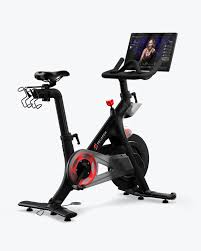
I spent about 30 seconds explaining the search: a bike in the area, in really good condition, with a working screen and a seller with good reviews. Muse evaluated a listing and the seller, recommended an offer, and emailed the findings straight to my mom. She contacted the seller and bought a Peloton the next day. I didn't have to stay in the middle.
Muse did the research and handoff. My mom made the purchase.
Product photo for context—not the bike listing Muse found.
- 2
Number 2 · 5:23
Preparing for a doctor's appointment

Muse helped with pre-check-in, created a visit-prep document, and put the appointment information on my calendars. It pulled together weight changes, my goal of losing another 10 pounds, sleep, digestive patterns, and heart-rate topics. It even connected a past conversation about waking up around 2 a.m. hungry and eating Pop-Tarts to something I should mention to my doctor. That's exactly the kind of thing I forget in the office.
Preparation for my actual doctor—not an AI replacing my doctor.
Keep medical information private. Use this kind of preparation to speak with a qualified clinician, not to diagnose yourself.
- 1
Number 1 · 8:15
Calling my dentist—and following through
On Friday, some tooth sensitivity made me wonder when my next dentist appointment was. Muse asked which office I used and requested my date of birth before calling. The office was closed on Fridays. Instead of giving the task back to me, it waited until Monday, called, spoke to Debbie, and returned my next-cleaning information with a transcript of the conversation. I didn't have to remember to finish the task.
Not a phone number. Not a reminder. A completed task.
Companion prompts
A clear task. A clear stopping point.
These starter prompts are adapted from the recorded examples, not my exact original wording or complete setup instructions. They add explicit approval boundaries. Access and supported actions vary.
#5 · All the little annoying stuff
Check whether you can check me in at [restaurant or haircut location] for [time and party size]. For a haircut, my preferred person is [name]. Confirm the location and details with me before submitting. Tell me whether the check-in actually went through. Do not purchase anything without my approval.
#4 · Cleaning up duplicate information in Monarch
Review the duplicate credit-card information in my connected Monarch account. Investigate the cause and show me the specific duplicates and proposed changes first. Preserve legitimate transactions. Do not delete or change financial records until I approve the exact changes. Tell me if you cannot access the account.
#3 · Finding my mom a used Peloton
Find a used Peloton within [area or distance], in good condition, with a working screen and a seller with good reviews. Compare the asking price against similar listings. Give me the evidence, any missing information, and a suggested offer. Draft a summary for [recipient], but ask before emailing, contacting a seller, or spending money. Do not claim you have verified a working screen without evidence.
#1 · Calling my dentist—and following through
Find out when my next dentist appointment is at [office]. Ask me for any verification information you need using the service's private channel. Confirm that calling is supported and get my approval before calling. If the office is closed, tell me whether a follow-up is actually scheduled. Return the appointment details and a transcript if available. Do not book, cancel, or change appointments without approval.
The companion checklist
One small task to hand off.
The five examples, what to confirm, and where to keep approval in your hands.
Approve sending, ordering, spending, deleting financial records, and changing appointments. Confirm that a task is completed or scheduled—not merely proposed.
Want to try Muse?
In the recording, I mention weekly free tokens and a billion-token referral bonus. People have shared codes on my site. Check current Muse terms and availability; copying a code doesn’t guarantee redemption. Referral codes can reward both the person sharing and the person using them.
What would you hand off?
Come tell me what Muse took off your plate. Keep personal, medical, and account details out of public comments.
More from Chad
Keep exploring
- Visit page
Muse AI: Five Things to Try First
Setup, five starter prompts, token limits, and approval safeguards for an everyday AI assistant.
- Visit page
Free Muse AI Tokens
Copy a live community invite code for 1 billion bonus tokens, or share your own.
- Visit page
AI Agent Shopping & x401 Explained
Verified identity, narrow spending permissions, and what to check before an AI buys for you.