
What you'll build.
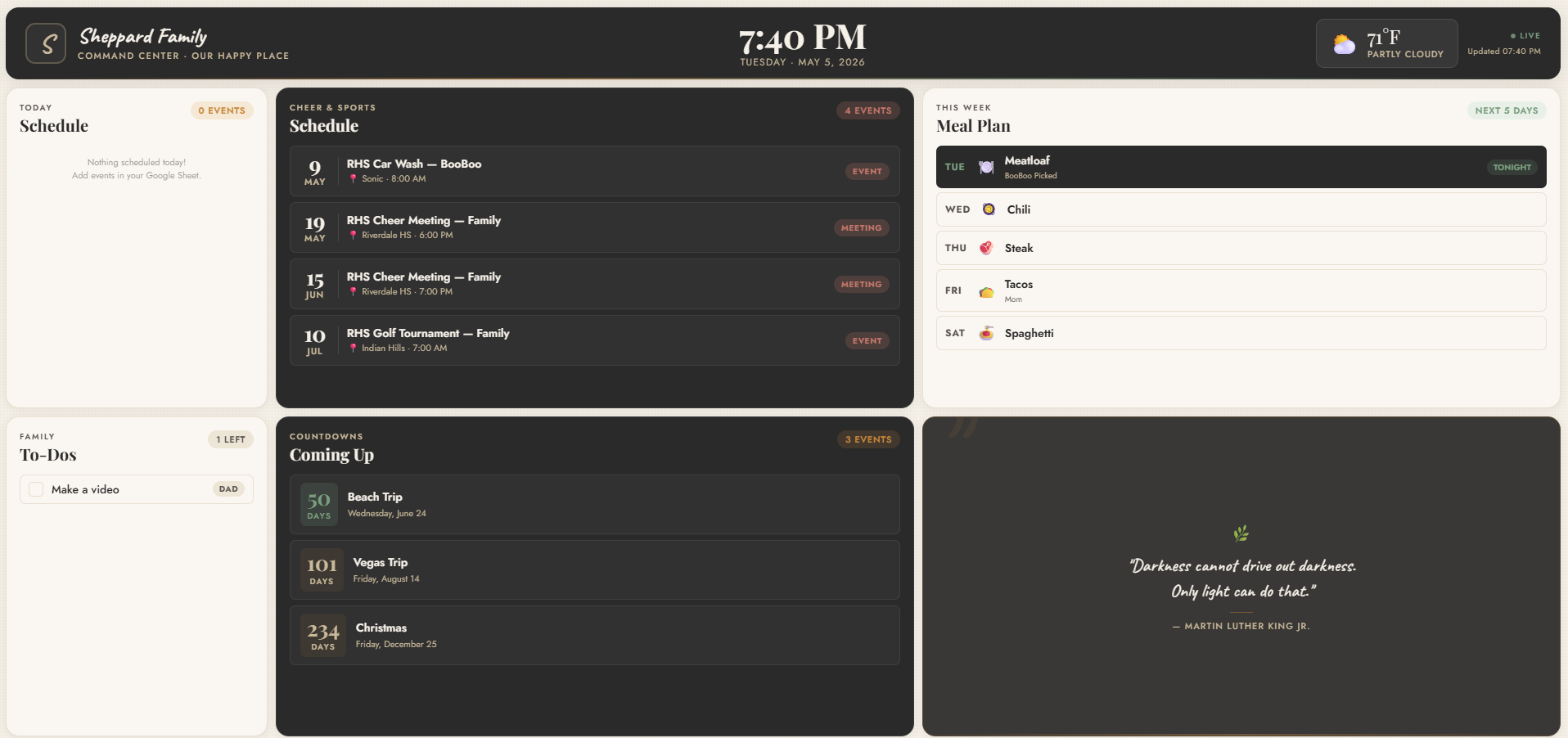
A single, always-on screen that shows your family's day at a glance — today's schedule, activities, meals, to-dos, and event countdowns. It updates itself from a Google Sheet, so the whole family stays in sync without anyone touching the TV.
Always-On DisplayUpdates AutomaticallyFree to BuildNo Coding Required
What you'll need.
All free. All beginner-friendly.
- Free Google Account
- Free Netlify Account
- Free Claude Account (claude.ai)
- 30 Minutes
The Build
Step-by-step build guide.
Six steps. Roughly 30 minutes start to finish.
Create a new Google Sheet with 5 tabs named exactly: Schedule, Activities, Meals, To-Dos, and Events. Don't worry about formatting yet — Claude will tell you what columns to add based on your family.
The Magic
The exact Claude prompt.
Copy this. Paste into Claude. Answer its questions. That's the build.
I want to build an always-on family dashboard to display on my TV. It should show today's schedule sorted by time, an activities and sports calendar, a weekly meal plan with tonight's dinner highlighted, a family to-do list, and countdowns to upcoming events. It should pull data from a Google Sheet that updates every 60 seconds. Make the design warm, modern, and easy to read from across the room. Ask me any questions you need to customize it for my family.
Tips for customizing.
Make it yours. Ask Claude — it'll adjust on the fly.
01
Change the color scheme to match your home — just ask Claude.
02
Add a weather widget by asking Claude to include one.
03
Add a family photo or logo in the corner.
04
Ask Claude to add a motivational quote that rotates daily.
Watch the full walkthrough.
Watch me build this live — start to finish.
FAQ
Free family dashboard, answered.
More from Chad